
A chatter walks off a shift and never comes back. A contractor's contract ends on a Friday. A manager gets let go on a Tuesday morning. In each case, the same question surfaces: what needs to be shut off, and how fast?
The answer breaks into timing tiers. Chat platform login, linked creator-platform accounts, shared password vault entries, payroll visibility, and contract approval rights all need to be removed - starting within minutes and finishing within the week. The difference between a tight window and a wide-open one is measured in hours, not days.
This is an operator's checklist, not legal or HR policy. It reflects how staffing actually turns over at agencies: chatters, managers, and contractors on different schedules with different access levels. It contains no staff, client, or dashboard data. Copy it, check it off, and complete it the day someone leaves.
0-15 Minutes: Immediate Risk Removal
The first fifteen minutes matter more than the rest combined. A departing chatter could still message a client or creator. A contractor could still pull a payout report. Anyone with access could cause real damage, intentional or not. Do this tier before the exit conversation ends.
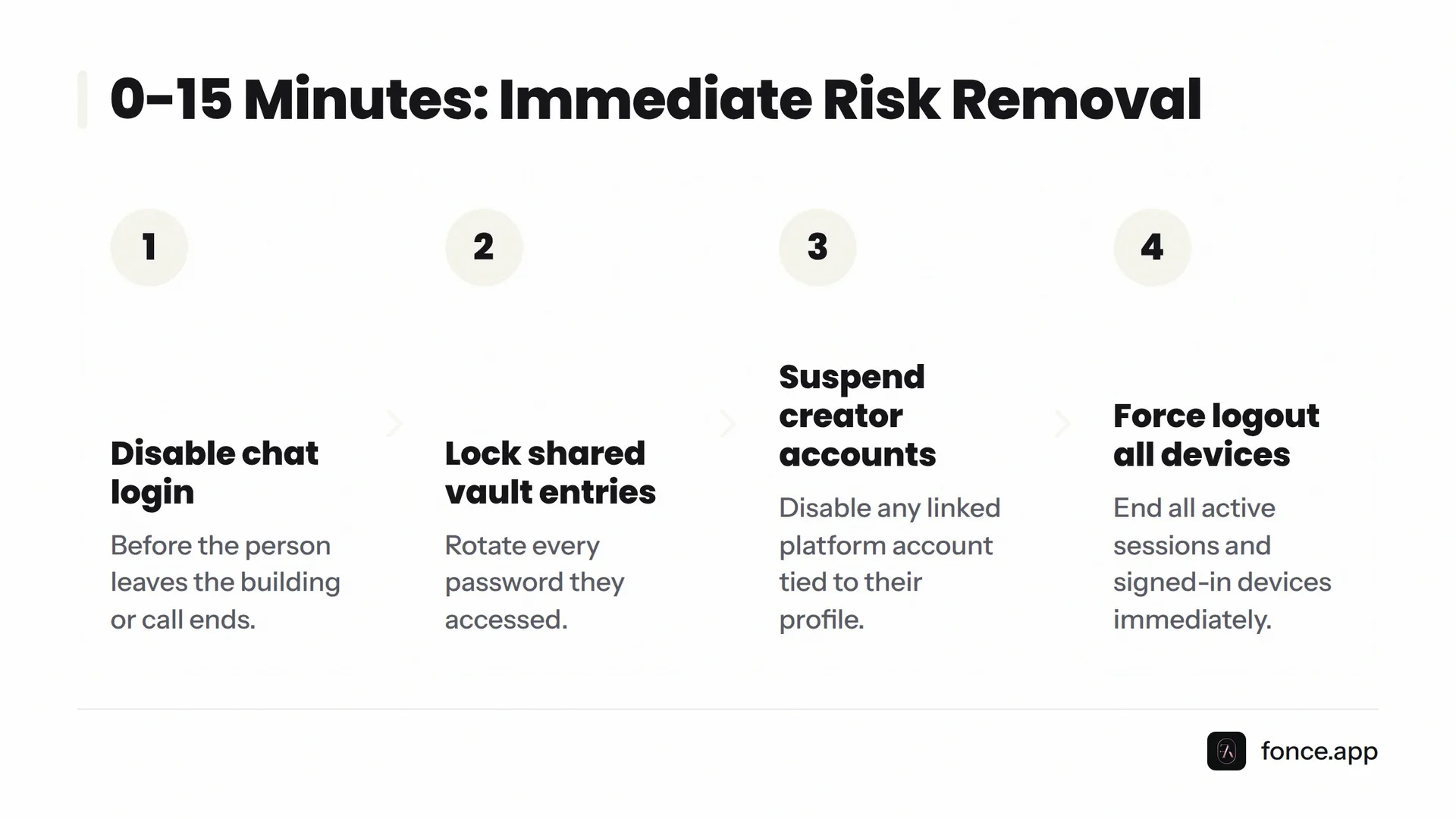
- Disable the chat platform login before the person leaves the building or the call ends
- Lock or rotate every shared password vault entry they accessed
- Remove the departing person's access to any linked creator-platform account tied to their profile
- Force logout of all active sessions and signed-in devices
The non-negotiable pair: If you can only act once in the first five minutes, disable chat access and lock the shared vault. Everything else can wait. Those two cannot.
Within Hours: Same-Day Access Removal
Once immediate risks are handled, finish removing the rest of the access footprint before the shift ends. Leftover logins are a liability whether or not the person intends to misuse them.
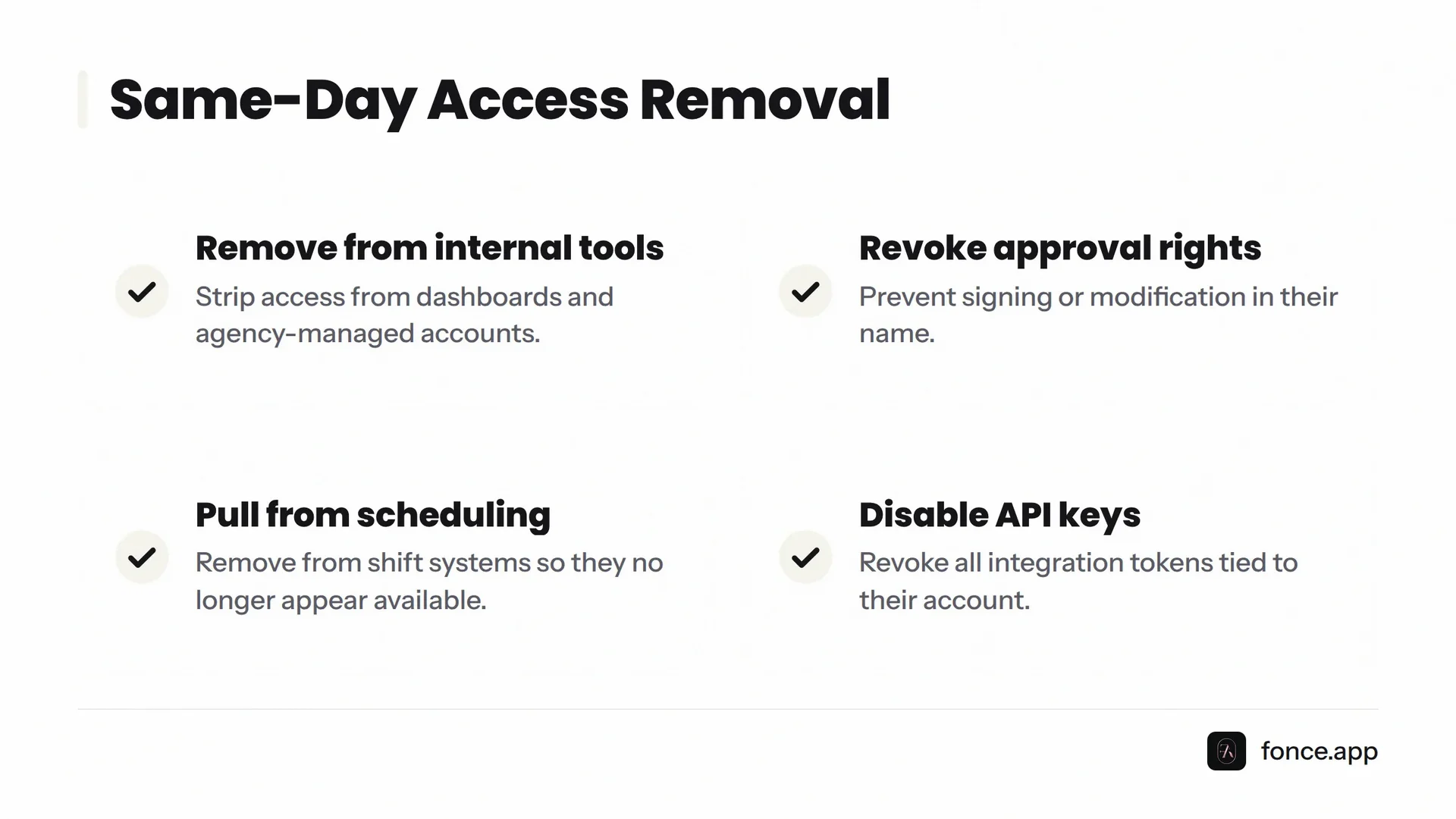
- Remove them from internal tools and dashboards, including any agency-managed account
- Revoke contract approval rights so nothing can be signed, countersigned, or modified in their name
- Pull them from scheduling or shift systems so they no longer appear available
- Disable any API keys or integration tokens tied to their account
If your agency uses a formal contract signing workflow, this is when to strip their approval rights completely, not just their login. A clean approval trail makes this step faster. FONCÉ App's guide to contracts with a receipt walks through formalizing that approval chain if you haven't already.
By End of Day: Clean Up Shared Spaces
Most agencies skip this tier because the emergency feels over. It isn't. Shared credentials are sticky, and cached logins on personal devices don't vanish on their own.
- Rotate any remaining shared credentials they touched, even ones not flagged in the first fifteen minutes
- Update the shared vault with new entries so old ones are fully retired
- Remove them from shared communication channels, group chats, and distribution lists
- Confirm no personal devices still carry a cached or saved login
A chatter who shared a device with a manager, or a contractor who logged in on a shared tablet at the floor, leaves behind an access trail nobody remembers to check.
Week One: Close the Loop
The first week after someone leaves is about finishing completely, not just locking doors. Payroll and contracts often have natural lag - a final payout needs calculation, a contract needs formal closure - and that lag is where residual access survives unnoticed.
- Finalize removal of payroll visibility, including any dashboard or export that showed pay rates or payout history
- Close out contract terms and formally revoke any remaining approval permissions
- Review recurring access points: scheduled reports, data exports, and backup files that might still list them as a recipient
- Confirm there are no lingering email forwarding rules, saved logins, or browser-stored passwords
If your agency calculates payouts on a recurring cycle, double-check that the departing person's final payout was processed correctly and they're fully removed from future cycles.
Different Roles, Different Risks
Not every departure is identical. Access footprints vary by role.
| Role | Primary access risk | Fastest action needed |
|---|---|---|
| Chatter | Chat platform login, linked creator-platform account | Disable chat access and remove their access to the linked account within minutes |
| Manager | Dashboards, approvals, payroll visibility, broader tool access | Revoke approval rights and dashboard access same day |
| Contractor | Time-boxed shared credentials, vault entries | Lock shared vault entries immediately, since contractors often share logins by design |
Chatters
A chatter's access is narrow but high-risk. They use the chat platform and whatever creator-platform account is linked to the accounts they message from. The danger is speed: a chatter with access can send a message, and messages sent after departure are hard to undo. Disable chat login and remove their access to the linked account first.
Managers
Managers have a wider surface. Beyond chat and messaging, they typically hold dashboard access, approval rights across contracts, and visibility into team payroll. Offboarding a manager means working through more systems, but the urgency tiers still apply. Approval rights and payroll visibility belong in same-day and week-one tiers, not left for whenever there's time.
Contractors
Contractors often start with shared or time-boxed credentials, not individual agency logins. The shared vault becomes the single most important thing to check. If a contractor was using a shared login, rotating that credential the moment the engagement ends closes the exposure fastest, since one password often protects more than one person's access.
Confirm Nothing Was Missed
A checklist is only useful if someone actually verifies it got done. Before marking an offboarding complete, run a final pass against every access point: chat login, linked creator-platform account, shared vault entries, internal dashboards, contract approvals, payroll visibility, and device sessions. Check each one individually rather than assuming earlier steps caught everything.
- Do a final access review pass across every tool the person touched, not just the ones flagged as high-risk
- Cross-check completed items against this list, tier by tier, rather than relying on memory
- Note the departure for audit log follow-up, so there's a record of what was reviewed and when
That last point is deliberately light here. A proper audit trail of what a departing staff member accessed and when deserves its own process.
This video walks through the same logic from a small business angle - closing a mailbox is not the same as closing access, which aligns closely with this checklist's approach.
https://www.youtube.com/watch?v=-6QlbzKgDG0
Related Resources
This checklist covers one thing: what to revoke and when. It deliberately stays out of adjacent topics that deserve their own space.
If you're setting up role permissions from scratch rather than reacting to a departure, that's a job for a staff access controls guide built around designing access rules and running periodic reviews. If you want to track exactly what a departing staff member accessed before they left, that belongs in a dedicated audit log explainer. If your concern is hardening agency-managed accounts generally, not just during departure, look to a resource on securing agency-managed accounts. If you're building the onboarding side so new chatters start with the right access from day one, a chatter onboarding checklist is the natural counterpart to this page.
For the broader picture of how FONCÉ App approaches account protection, the private by default security page explains the thinking behind locking access down as a default state rather than an afterthought. It's worth reading alongside this checklist, since the same philosophy - limit exposure first, review second - runs through both.
Keep this checklist where your whole management team can reach it in under a minute, not buried in a folder nobody opens until it's too late. Print it, pin it, save it as a template - whatever gets it in front of someone the moment a departure happens. For more operator-focused guidance on running an agency day to day, the FONCÉ App blog also covers topics such as chatter time clocks and timesheets and agency profit margin calculations. FONCÉ App itself is built around the idea that agency operations, including the less glamorous parts like offboarding, deserve the same precision as the creative work.